
Self-Hosting Ghostfolio: Open Source Wealth Management and Portfolio Tracking
Most investment tracking happens across a patchwork of brokerage accounts, spreadsheets, and free tools that sell your data. You log into three different platforms to see your full picture, or you hand everything to a service like Personal Capital that mines your financial data for lead generation. Ghostfolio offers a clean alternative: a single dashboard for all your investments, running on your own server.
Photo by Centre for Ageing Better on Unsplash
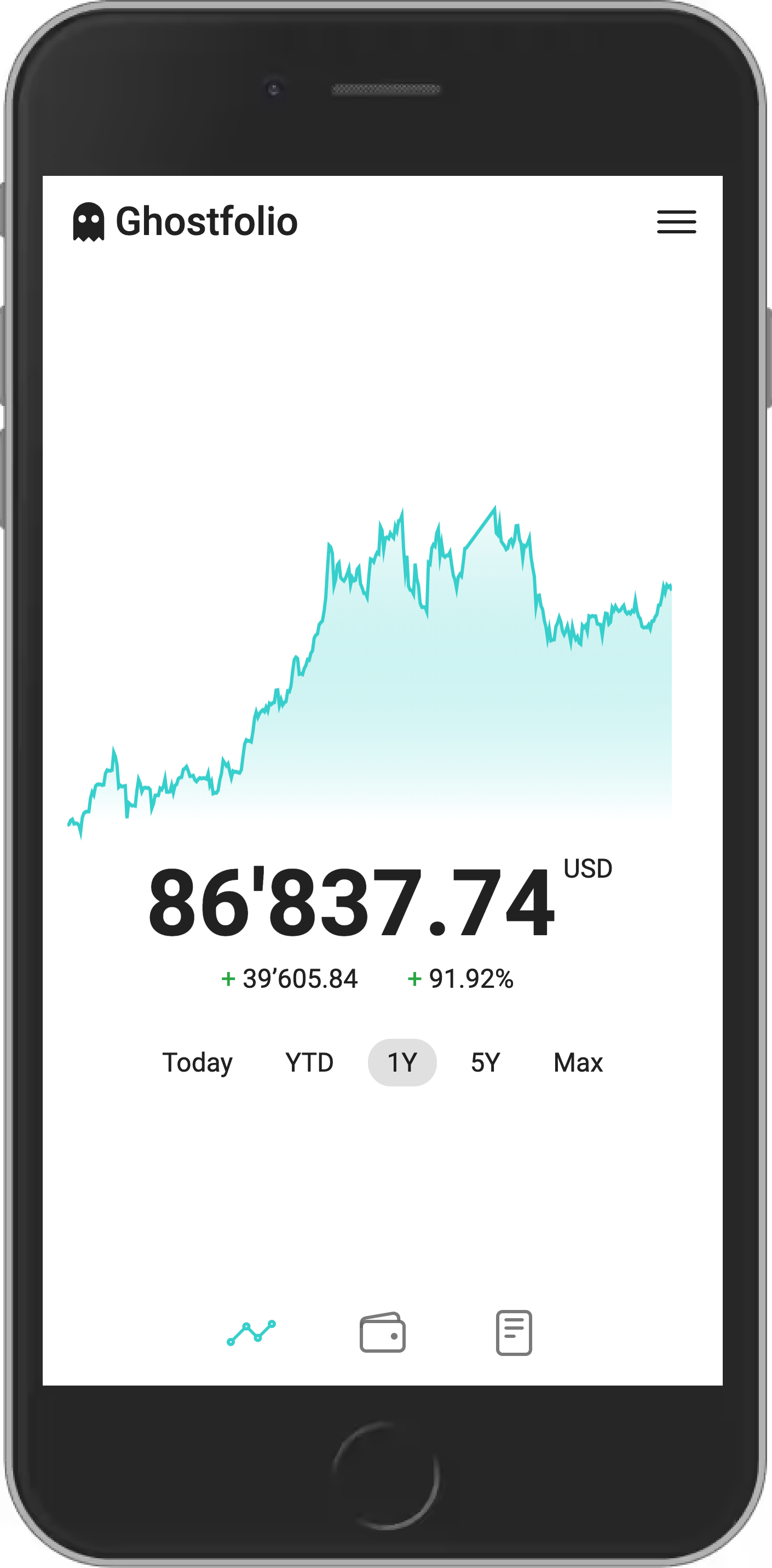
Ghostfolio is an open source wealth management application that tracks stocks, ETFs, cryptocurrencies, and other assets across multiple accounts. It provides portfolio performance analytics, asset allocation breakdowns, and dividend tracking — all without sending your financial data to a third party.
What Ghostfolio Does
Ghostfolio focuses on the investment tracking side of personal finance:
- Multi-asset support — stocks, ETFs, mutual funds, bonds, cryptocurrencies, commodities, precious metals
- Multi-currency — automatically converts holdings to your base currency using live exchange rates
- Performance analysis — time-weighted return calculations, benchmarking against indices
- Asset allocation — visual breakdowns by asset class, region, sector, and account
- Dividend tracking — records dividend payments and calculates yield
- Multi-account — track holdings across brokerages, retirement accounts, and crypto wallets
- Market data — automatic price updates via Yahoo Finance, or manual entry for unlisted assets
- Privacy-focused — self-hosted, no data sharing, no ads
What it doesn't do
Ghostfolio is not a budgeting tool or a full accounting system. It tracks what you own and how it's performing. For day-to-day spending and budgeting, pair it with something like Actual Budget or Firefly III.
Ghostfolio vs. Personal Capital vs. Sharesight
| Feature | Ghostfolio | Personal Capital (Empower) | Sharesight |
|---|---|---|---|
| Self-hosted | Yes | No | No |
| Open source | Yes | No | No |
| Free tier | Unlimited (self-hosted) | Yes (with upsells) | 10 holdings |
| Stocks/ETFs | Yes | Yes | Yes |
| Crypto | Yes | Limited | No |
| Multi-currency | Yes | USD-centric | Yes |
| Dividend tracking | Yes | Basic | Excellent |
| Tax reporting | No | No | Yes (AU/NZ/CA/UK) |
| Bank link | No (manual entry) | Yes | Some brokerages |
| Performance method | Time-weighted | Time-weighted | Time-weighted |
| Benchmarking | Yes | Yes | Yes |
| Data privacy | Full control | Data monetized | SaaS |
| Cost | Free (self-hosted) | Free (sells advisory) | Free-$31/mo |
| Mobile app | PWA | Native iOS/Android | Native iOS/Android |
When to choose which
Ghostfolio is best if you want full control of your financial data, track assets across countries and currencies, and are willing to enter transactions manually.
Personal Capital (Empower) is best if you want automatic bank/brokerage linking and don't mind the platform using your data to pitch advisory services.
Sharesight is best if you need tax-lot reporting for Australian, New Zealand, Canadian, or UK tax purposes.
Self-Hosting Ghostfolio: Setup
Server requirements
Ghostfolio runs a Node.js backend with PostgreSQL and Redis:
- Minimum: 1 GB RAM, 1 CPU core
- Recommended: 2 GB RAM, 2 CPU cores
- Storage: 500 MB base + minimal growth (portfolio data is small)
Docker Compose setup
services:
  ghostfolio:
    container_name: ghostfolio
    image: ghostfolio/ghostfolio:latest
    ports:
      - "3333:3333"
    environment:
      NODE_ENV: "production"
      ACCESS_TOKEN_SALT: "change-me-to-a-random-string"
      DATABASE_URL: "postgresql://ghostfolio:ghostfolio@postgres:5432/ghostfolio"
      JWT_SECRET_KEY: "change-me-to-another-random-string"
      REDIS_HOST: "redis"
      REDIS_PORT: "6379"
    depends_on:
      postgres:
        condition: service_healthy
      redis:
        condition: service_started
    restart: always

  postgres:
    container_name: ghostfolio-db
    image: postgres:15-alpine
    environment:
      POSTGRES_DB: "ghostfolio"
      POSTGRES_USER: "ghostfolio"
      POSTGRES_PASSWORD: "ghostfolio"
    volumes:
      - ghostfolio-db:/var/lib/postgresql/data
    healthcheck:
      test: ["CMD-SHELL", "pg_isready -U ghostfolio"]
      interval: 10s
      timeout: 5s
      retries: 5
    restart: always

  redis:
    container_name: ghostfolio-redis
    image: redis:7-alpine
    restart: always

volumes:
  ghostfolio-db:
Generating secrets
Before starting, generate proper secrets for the two required values:
# Generate ACCESS_TOKEN_SALT
openssl rand -hex 32

# Generate JWT_SECRET_KEY
openssl rand -hex 32
Replace change-me-to-a-random-string and change-me-to-another-random-string with the generated values.
Starting the service
docker compose up -d
Access Ghostfolio at http://your-server:3333. The default admin credentials are displayed on the login page on first run. Change the admin password immediately after logging in.
Want more productivity guides? Get guides like this in your inbox — Self-Hosted Weekly delivers one free deep-dive every week.
Setting Up Your Portfolio
Creating accounts
Accounts in Ghostfolio represent your real-world brokerage and investment accounts:
- Go to Accounts in the sidebar
- Click Add Account
- Enter the account name (e.g., "Fidelity 401k", "Coinbase", "Interactive Brokers")
- Select the account currency
- Optionally set the account platform for icon display
Adding activities
Activities are your buy/sell transactions:
- Go to Activities (or Portfolio > Activities)
- Click Add Activity
- Select the activity type: Buy, Sell, Dividend, or Fee
- Search for the asset by ticker symbol or name
- Enter the date, quantity, unit price, and any fees
- Assign it to the correct account
Ghostfolio looks up assets using Yahoo Finance tickers. For US stocks, use the standard symbol (AAPL, MSFT). For international stocks, use the Yahoo Finance format (e.g., VWCE.DE for a German-listed ETF).
Adding cryptocurrencies
Crypto assets follow the same process:
- Create an activity with type Buy
- Search for the cryptocurrency (BTC, ETH, SOL, etc.)
- Enter the purchase date, quantity, and price
- Assign to your crypto account
Ghostfolio fetches live crypto prices automatically.
Bulk import
For larger portfolios, use CSV import:
- Go to Activities > Import
- Upload a CSV file with columns for date, type, symbol, quantity, price, fee, currency, and account
- Review and confirm the imported transactions
Most brokerages let you export transaction history as CSV, which you can format to match Ghostfolio's expected columns.
Portfolio Analysis
Performance overview
The main dashboard shows:
- Total portfolio value — current market value of all holdings
- Performance — time-weighted return as a percentage and absolute value
- Today's change — how much your portfolio moved today
Asset allocation
The allocation view breaks down your portfolio by:
- Asset class — stocks, bonds, cash, crypto, commodities
- Region — geographic distribution (Americas, Europe, Asia-Pacific, etc.)
- Sector — technology, healthcare, financials, consumer, etc.
- Account — how holdings are distributed across your accounts
These breakdowns help identify concentration risk and rebalancing opportunities.
Benchmarking
Compare your portfolio performance against common benchmarks:
- Go to Portfolio > Analysis
- Select a benchmark index (S&P 500, MSCI World, etc.)
- View your portfolio's performance overlaid on the benchmark
This answers the perennial question: "Am I doing better or worse than just buying an index fund?"
Dividend view
If you hold dividend-paying assets, Ghostfolio tracks:
- Dividend payments received per asset
- Total dividend income over time
- Dividend yield based on your cost basis
Multi-Currency Support
Ghostfolio handles multi-currency portfolios natively:
- Set your base currency in settings (the currency your dashboard displays in)
- Each account and transaction can use a different currency
- Exchange rates update automatically
- Performance calculations account for currency gains/losses
This is particularly useful for investors who hold US-listed ETFs alongside European or Asian market securities.
Reverse Proxy Setup
Caddy:
portfolio.yourdomain.com {
    reverse_proxy localhost:3333
}
Nginx:
server {
    server_name portfolio.yourdomain.com;

    location / {
        proxy_pass http://localhost:3333;
        proxy_set_header Host $host;
        proxy_set_header X-Real-IP $remote_addr;
        proxy_set_header X-Forwarded-For $proxy_add_x_forwarded_for;
        proxy_set_header X-Forwarded-Proto $scheme;
    }
}
Backup Strategy
Back up the PostgreSQL database regularly:
# Backup the database
docker exec ghostfolio-db pg_dump -U ghostfolio ghostfolio > ghostfolio-backup-$(date +%Y%m%d).sql

# Restore from backup
docker exec -i ghostfolio-db psql -U ghostfolio ghostfolio < ghostfolio-backup-20260209.sql
Include the database backup in your regular backup routine (restic, borg, etc.).
Honest Trade-offs
Ghostfolio is great if you:
- Want a private, self-hosted investment dashboard
- Hold assets across multiple currencies and countries
- Want performance analytics without data monetization
- Are comfortable entering transactions manually
- Track a mix of stocks, ETFs, and crypto
Consider Personal Capital (Empower) instead if you:
- Want automatic bank and brokerage linking
- Don't mind your data being used for financial advisory lead generation
- Prefer native mobile apps
- Are US-focused and don't need multi-currency
Consider Sharesight instead if you:
- Need tax-lot reporting for Australian, NZ, Canadian, or UK taxes
- Want automated brokerage imports
- Need detailed capital gains reports for tax filing
- Are willing to pay for a polished SaaS experience
Consider a spreadsheet instead if you:
- Have a simple portfolio (one or two accounts, same currency)
- Only check performance quarterly or annually
- Want maximum flexibility in how you analyze your data
The bottom line: Ghostfolio fills the gap between manual spreadsheets and data-hungry commercial platforms. It gives you a clean, modern portfolio dashboard without requiring you to hand over your financial data. The manual transaction entry is the main trade-off — there's no automatic bank sync. But for people who value data privacy and invest across multiple countries and currencies, that trade-off is often worth it.